Trading Journal PDF or Template? Here's Why That's the Wrong Question in 202
Thousands of traders download a trading journal PDF or Excel template every day — and most quit within a week. Here's the real reason why, and what actually works instead.
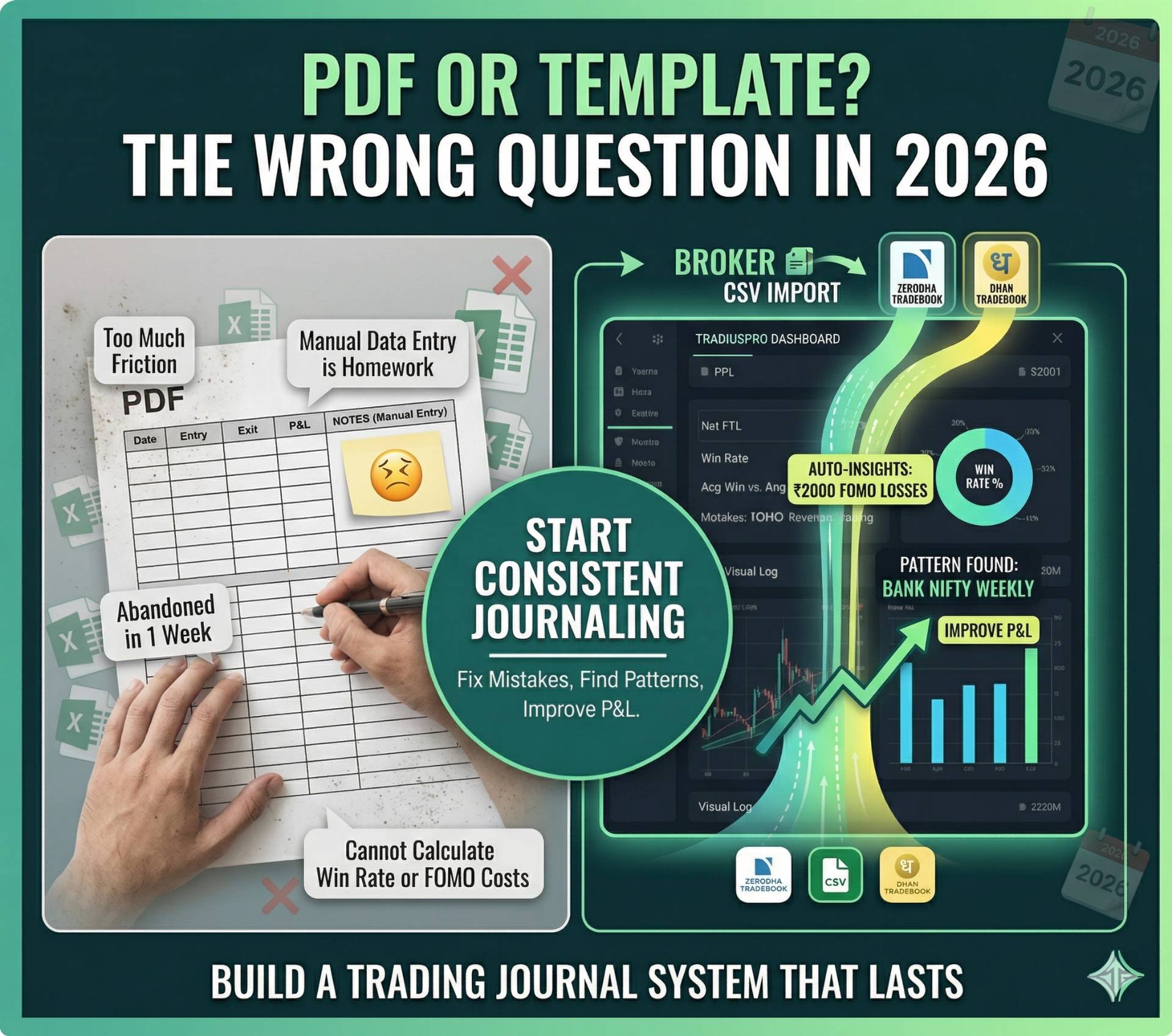
Table of Contents
Scanning sections...
Trading Journal PDF or Template? Here's Why That's the Wrong Question in 2026
Every month, hundreds of thousands of traders search for a "trading journal PDF" or "trading journal template." They download it, open it with great intentions, fill in three or four trades, and then close it forever.
Sound familiar?
This isn't a discipline problem. It isn't even a laziness problem. It's a design problem. PDFs and static templates were built for a world where trading data had to be entered by hand. In 2026, that world no longer exists — and traders who are still working within it are paying a serious cost in both time and trading performance.
This guide is for every trader who has downloaded a journal template, abandoned it within a week, and still hasn't found a system that sticks.
The Appeal of the Trading Journal PDF (And Why It Fails)
The appeal is completely understandable. You search for a trading journal, find a clean, well-designed PDF with columns for your entry price, exit price, P&L, and maybe a notes section. You download it for free. Zero friction.
The problem begins the moment you take your first trade.
You need to open the PDF. You need to fill in the trade manually. You realize you forgot to screenshot your chart at entry. You try to remember why you took the trade. You write "Looked good" in the notes column. The next day, you take three more trades and the manual entry feels like homework. By Friday, you have 12 trades logged and 8 sitting in your broker history un-journaled.
By week two, the tab is closed. The PDF is in your Downloads folder, untouched.
The failure is structural, not personal. A static PDF cannot import your trades. It cannot calculate your win rate. It cannot tag your mistakes. It cannot tell you that you lose money on Tuesday afternoons or that your FOMO trades have a negative expectancy of -₹800 per trade. It's just a table on a screen.
What a Trading Journal Template Gets Right (And Where It Stops)
A well-designed Excel or Google Sheets trading journal template is a genuine step up from a PDF. You can build formulas. You can calculate rolling win rates. You can add conditional formatting to flag losing trades in red.
Many serious traders actually started with a template, and there's no shame in that. The problem isn't where you start — it's recognizing when you've outgrown it.
Here's the ceiling of a template-based approach:
- Time cost: Manual data entry for 20-30 trades per week takes 30-45 minutes minimum. That's time that should be spent reviewing, not entering.
- Human error: One typo in an entry price throws off your entire P&L calculation for the week.
- Screenshot linking: There is no native way in Excel to link a chart screenshot to a specific trade entry and view them side-by-side for a visual review.
- No mistake taxonomy: A "Notes" column doesn't create the structured data you need to find patterns. Writing "bad trade — entered late" 15 times doesn't tell you whether FOMO is costing you ₹3,000 or ₹30,000 a month.
As we explored in The 5-Step Weekend Ritual, Step 2 of any professional review is identifying why you lost money, not just that you did. A template cannot do this for you — it can only display the raw data you've already manually entered.
The "Trading Journal AI" Search: What Traders Are Actually Looking For
One of the fastest-growing search terms around trading journals is "trading journal AI." Traders aren't searching for this because they want a robot to trade for them. They're searching for it because they're exhausted from doing manual analysis.
What traders actually want when they search "trading journal AI" is a system that:
- Automatically processes their trade data.
- Surfaces insights they wouldn't find on their own.
- Identifies their most expensive patterns without requiring a data science degree.
This is exactly the gap that professional trading journal software fills. The "AI" in modern journals isn't a chatbot — it's structured analytics. When you import 100 trades and the system instantly shows you that your win rate on Bank Nifty is 23% while your win rate on Nifty is 61%, that's not magic — it's structured data doing its job.
For traders relying on complex broker exports, the most important version of this is broker-native import. The moment you can pull your Zerodha or Dhan tradebook into a platform and see your full performance breakdown within seconds, you stop needing AI — because the data speaks for itself.
Building a Trading Journal System That Actually Sticks
Whether you start with a PDF, a template, or purpose-built software, the most important variable is always consistency. Here is how professional traders build a journaling system that lasts:
Step 1: Make Logging Frictionless The harder it is to log a trade, the less you'll do it. This is why CSV import matters so much. Your broker already has all your data. Your journal's only job is to give that data a usable home.
Step 2: Log Intent, Not Just Outcome The biggest mistake template users make is only logging what happened — entry price, exit price, P&L. The most valuable information is why you entered. What was your technical trigger? What was your Stop-Loss? What was your target? These fields aren't optional extras — they're the entire point of journaling. As outlined in our Position Sizing Blueprint, logging your intended R:R before execution is the only way to know whether you're trading a disciplined system or reacting to noise.
Step 3: Tag Every Mistake Consistently Create a fixed vocabulary for your mistakes and stick to it. Don't write "entered too late" one week and "FOMO again" the next. Use the same tags, every time. Over 30 trades, the frequency data becomes extremely valuable. When you see that "FOMO" is tagged in 14 of your 22 losing trades, the fix becomes obvious even before you dive into the numbers.
Step 4: Screenshot Every Setup This is the most skipped step and the most valuable one. Attach a screenshot of your chart at the moment of entry to every single trade. After 20-30 trades, open the image gallery and look at your losers side by side. You will find a visual pattern. This is the kind of insight that no spreadsheet or PDF can generate for you, as we covered in detail in The Brutal Truth About Technical Analysis.
Step 5: Review Weekly, Adjust One Rule The weekly review is where journaling pays off. Don't try to fix everything at once. Find the single most expensive habit in your data and create one specific, measurable rule to address it for the following week. Write that rule somewhere visible. Then review again the following weekend.
The Bottom Line: A Tool You Actually Use Beats a Perfect System You Abandon
There is no single "best" journaling system for every trader. A beginner with 5-10 trades per week might get genuine value from a simple template. A serious retail trader or someone preparing for prop firm challenges needs the full stack: automatic import, analytics, mistake taxonomy, and visual review.
The right question isn't "PDF or software?" The right question is: "What tool will I actually use consistently, and will it give me the data I need to improve?"
Whether you trade global markets or rely on specific Indian broker formats like Zerodha and Dhan, you need a platform that understands your raw data without requiring complex workarounds.
Stop downloading templates you won't use. Start your free TradiusPro account, import your first tradebook, and see your actual performance data in under 2 minutes.
Frequently Asked Questions (FAQ)
Is there a free trading journal template? Yes, there are many free Excel and Google Sheets templates available online. However, as traders scale their volume, most abandon these templates because manual data entry becomes too time-consuming and prone to formula errors.
Can I use a PDF to track my trades? You can use a PDF to log basic entry and exit points, but it is highly inefficient. A static PDF cannot automatically calculate your win rate, track your risk-to-reward ratio, or help you identify recurring behavioral mistakes.
What is the best automated trading journal? The best automated journals, like TradiusPro, directly import your broker data via CSV, tag your behavioral mistakes, and provide visual chart logs. This automation replaces the need for manual spreadsheet entry.